18 · Default theme and external styles
The FlowUI core maintains one default design system in theme, with light
and dark modes. Widgets own behavior and default visuals; theme supplies
global design tokens. Other design systems belong to optional external modules.
Default theme
Select a complete theme explicitly when opening a window:
ui.Run(ui.NewProgram(Model{}, Update, View),
    window.Theme(theme.Light()), // theme.Dark() for dark mode
    window.Title("FlowUI"),
    window.Size(900, 640),
)
Both constructors supply the default design tokens. theme.New and
theme.NewDark customize the same appearance with a seed and can also
be passed to a window. Each widget owns its default geometry and appearance;
customize individual components with Style and part declarations. Shared
colors, typography, shadows and motion remain theme tokens. All constructors
use the same default appearance.
From application message handling, call application.SetTheme("main", theme.Dark())
to apply a replacement through the target window's event loop. Run the default
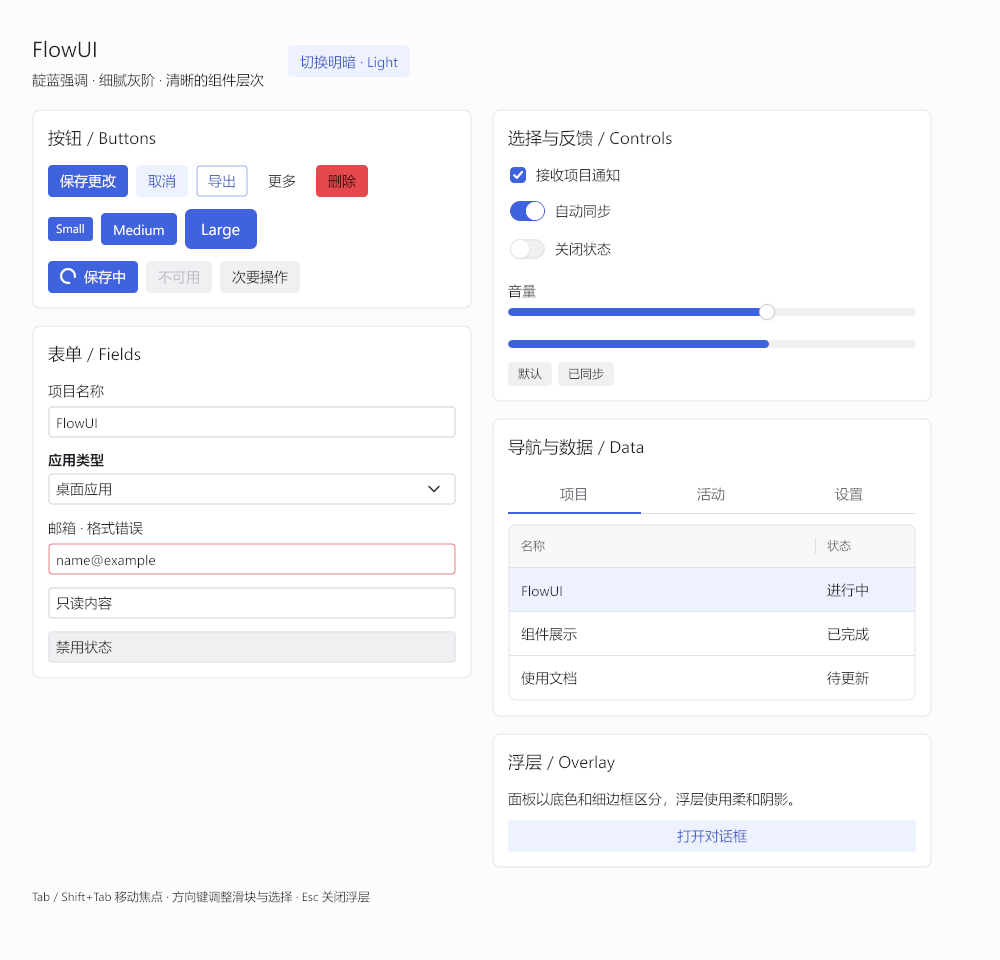
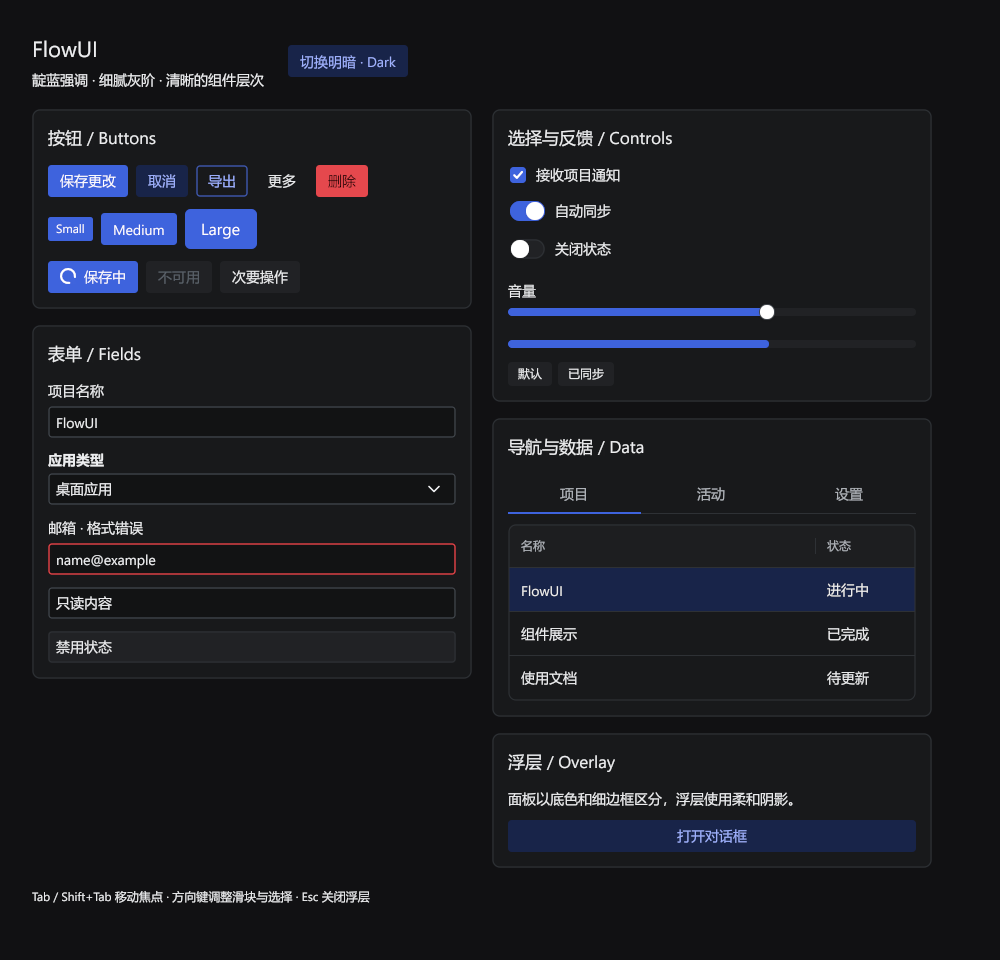
light/dark demonstration from the core repository:
Default visual specification
The default theme uses Indigo accents, Slate greys, thin borders and soft selections. Surface colours separate regions. Ordinary buttons, fields and cards have no drop shadows; floating menus and dialogs retain soft shadows. The palette is opaque and has no React or CSS dependency.
| Role | Light | Dark |
|---|---|---|
| Window background | #FCFCFD |
#111113 |
| Card / overlay | #FFFFFF |
#18191B |
| Field background | #FFFFFF |
#121314 |
| Body text | #1C2024 |
#EDEEF0 |
| Accent | #3E63DD |
#3E63DD |
| Field border | #CDCED6 |
#43484E |
Small / standard / large buttons and inputs are 24 / 32 / 40dp tall with 1dp borders. Button radii are 3 / 4 / 6dp, cards 8dp and dialogs 12dp. Body text is 14sp; gallery headings use 17 / 22sp. Standard switches measure 35×20dp with an 18dp white thumb. Sliders use an 8dp track and a 16dp white round thumb. Standard table rows are 36dp tall; underline tabs are 40dp tall. Selected list and table rows use a soft accent surface. Bordered fields darken their stroke on hover; focus keeps the fill and adds a soft accent halo behind a 1dp stroke instead of thickening it. Select and ComboBox option panels and the DatePicker calendar use a 1dp border and the menu shadow profile so they read as a layer above the form.
On Windows, the default typeface list is Segoe UI, Microsoft YaHei UI, sans-serif.
These UI families provide compatible Latin and Chinese line metrics, avoiding
generic fallback faces whose excessive line gap leaves control labels visibly high.
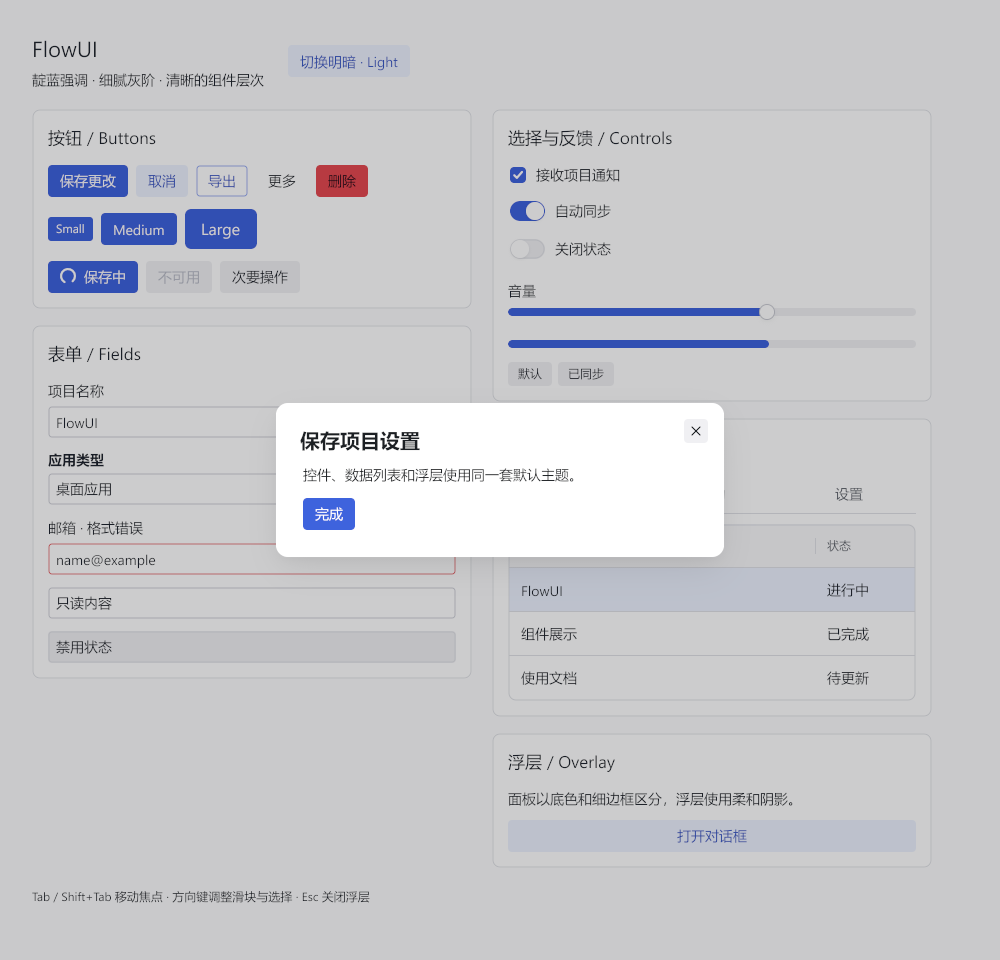
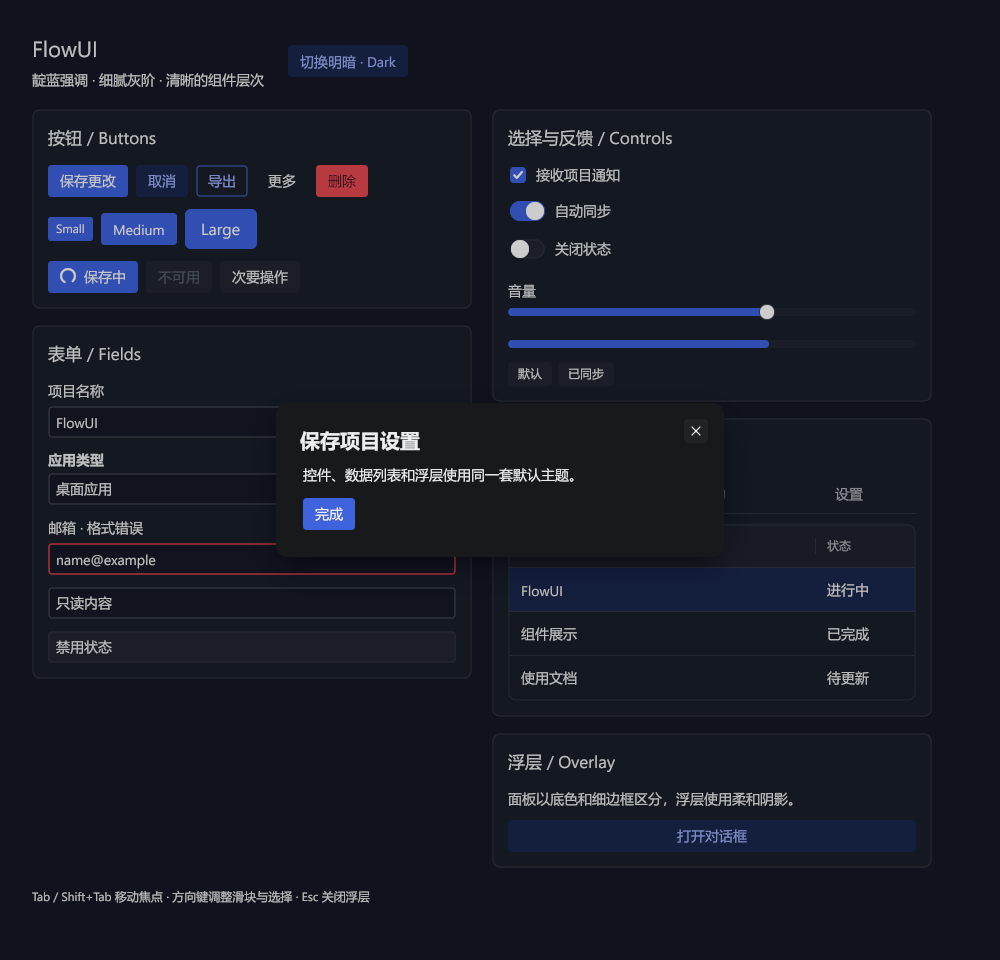
Overlay previews: light dialog
and dark dialog. These images are
actual gallery renders from Windows; run go run ./examples/showcase from the
repository root and capture the window in the light or dark theme to update
them.
Custom colours and geometry
Derive a theme from a seed to update the accent and its associated semantic and interaction colours together:
seed := theme.DefaultSeed()
seed.Primary = color.NRGBA{R: 0x10, G: 0xb9, B: 0x81, A: 0xff}
active := theme.New(seed) // theme.NewDark(seed) for dark mode
input.New("name").Style(style.Style{}.Radius(8))
Import theme from github.com/qianniancn/flowui/theme and color from image/color.
Pass the result to window.Theme(active). Use window.CustomizeTheme after
selecting a theme for global typography or motion changes; widget instances own
component geometry and appearance. Change the seed to derive a new palette, or
use UseSemantic to install a complete set of semantic colors.
theme.Light() / theme.Dark() supply Indigo accents and Red, Green and Amber feedback colours.
theme.New(seed) / theme.NewDark(seed) preserve supplied brand colours while
applying the same surface, geometry and state rules. Filled labels choose black
or white; a few state colours receive slight adjustments for text contrast.
theme.DefaultSeed() contains the default colors and motion, so
theme.New(theme.DefaultSeed()) matches theme.Light().
Default appearance and validation
Each widget package owns its default appearance and tests. widget/base
contains appearance-free behavior. Change shared values through theme tokens
and individual instances through widget style APIs. Test both theme modes,
interaction states and instance styles when changing a component.